Mark the moment. Replay it on cue.
SpotDeck is an iPad app for marking cue points on an audio track and replaying any section on demand — built for video programmers and live-event operators who need to loop a moment while timing the show. On-device, no accounts.
iPad · iPadOS 17+
What it is
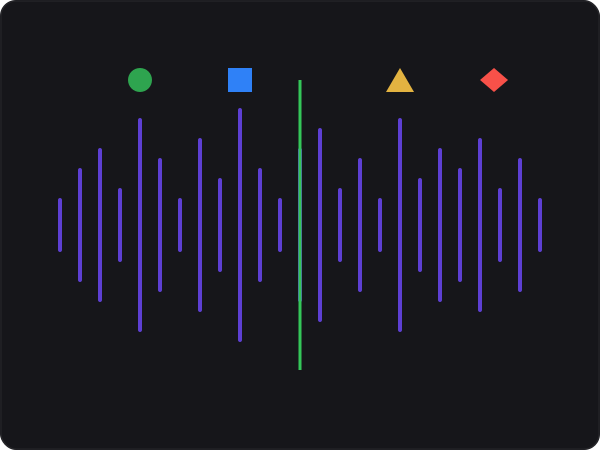
Drop an audio track into SpotDeck and you get a full-height waveform you can pinch to zoom and tap to seek. Mark the spots that matter — a downbeat, a hit, a transition — and tag each one with a cue type that carries its own color and shape.
Tap any cue to jump there and play to the end; tap again to restart from the same spot. Turn on loop mode and SpotDeck re-arms the section hands-free, so you can run the same moment over and over while you time video, lighting, or whatever the show needs.
Everything stays on the iPad. No accounts, no cloud, no network required — your tracks and cues live on the device.
How it works
- Import a track. Pull in audio from Files, iCloud Drive, a USB drive, or drag-and-drop. mp3, wav, m4a, aac, aiff, flac — anything iPadOS can decode.
- Mark typed cue points. Tap the waveform to drop a cue, give it a type (Audio, Video, Lighting, Pyro, SFX, or your own) and an optional note. Each type shows its own color and shape.
- Tap to replay. Tap a cue to jump and play; flip on loop mode to run the section hands-free while you time the rest of the show.
Free, with one upgrade
Free
- One project
- A few tracks to get going
- Waveform · typed cues · transport · loop
Full unlock One-time unlock
- Unlimited tracks
- Multiple projects
- Setlist ordering
- Export / import project bundles
Latest
-
SpotDeck is coming
An iPad app for marking cue points on audio and replaying sections on demand — now in open beta on TestFlight.
Need a hand?
Importing tracks, marking cues, getting audio out to the room — the common questions are answered in the help pages.